Tickler
A plugin for Paperclip that puts every organization you run on one page, with a single queue of what needs you, sorted by when you have to decide.
Install: Settings → Plugins → Install Plugin → paperclip-plugin-tickler. A Tickler button appears in the top bar. Not zero setup — you still have to paste the name — but close enough that I’ll take the win.
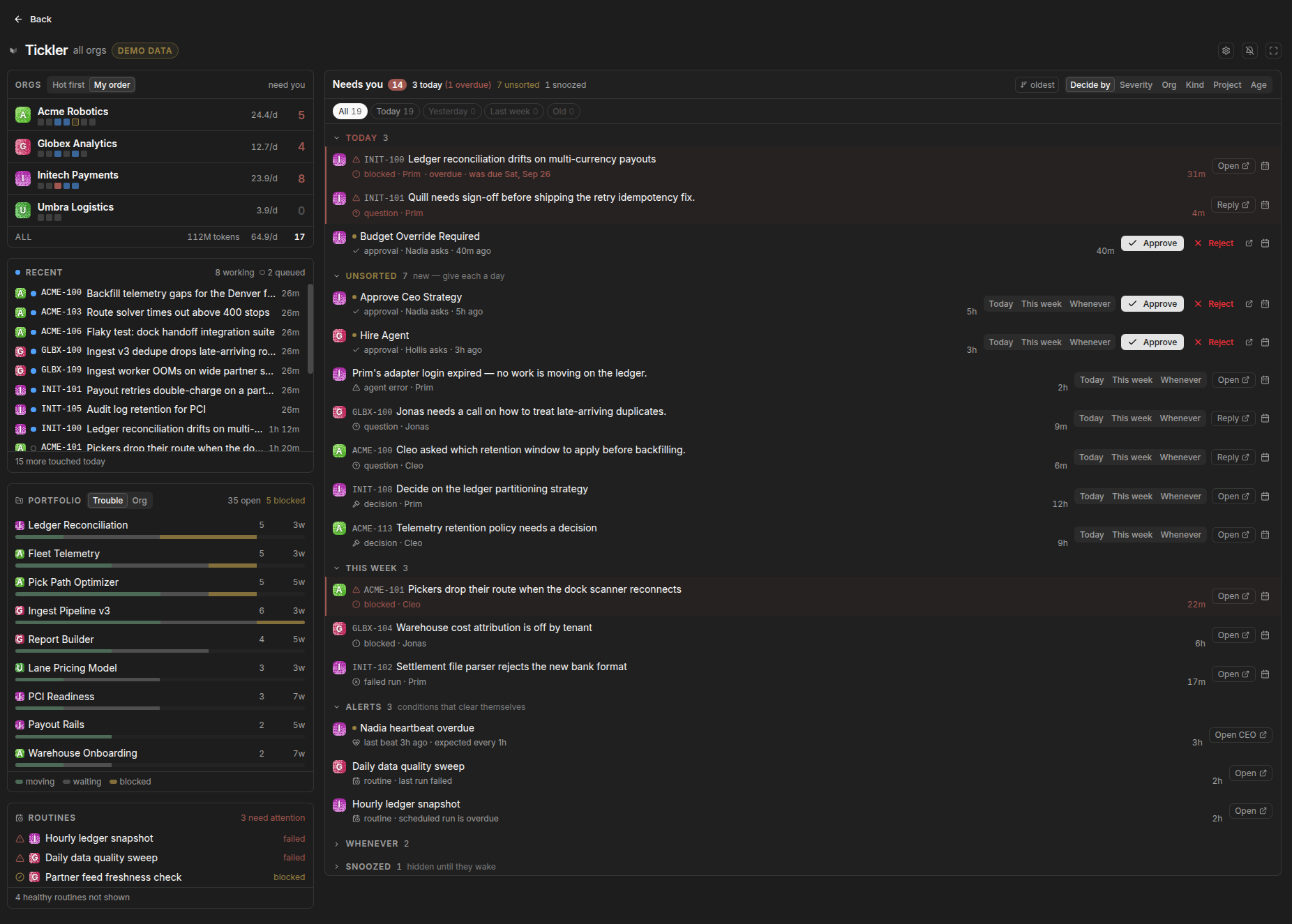
What it is
Paperclip is an open-source control plane for running agents as a company — roles, budgets, issues, heartbeats — and a single deployment runs many companies with complete isolation between them. That isolation is correct for the agents. Company A’s agents have no business seeing company B. But the operator is not an agent. The operator is the one person all those companies have in common, and the product opens you inside one of them with a switcher for the rest.
Tickler is the missing floor. It belongs to no company, sits above the boundary, and answers one question: what needs me, across every org, right now?
It is a third-party plugin, not a Paperclip feature and not an official Paperclip project. It’s UI-only — it never modifies Paperclip itself, so upgrades don’t break it.
What it does
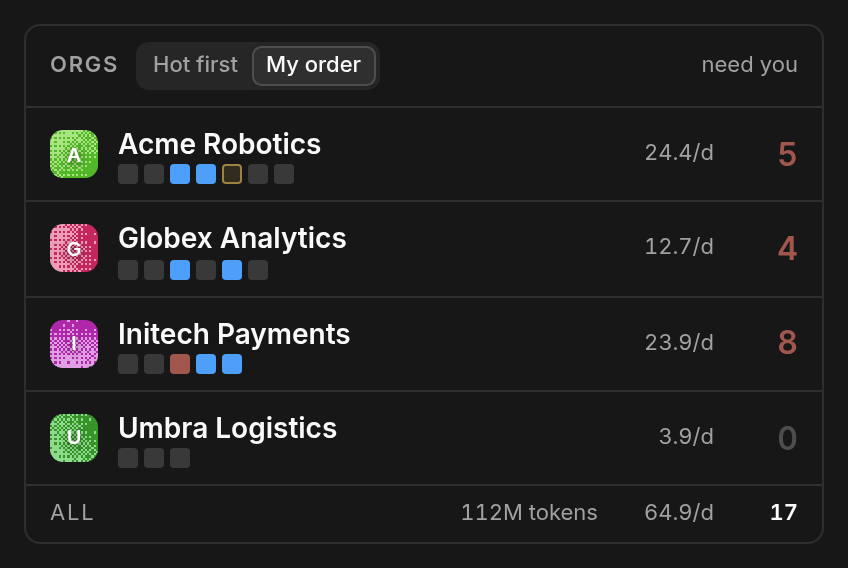
Every org on one line. Who’s working, runs per day, token spend, and the count of things waiting on you. That last column is the one no tool shows and the one that should decide where you go next.
Answer in place. Approve, reject, reply, or pick an option on an agent’s question right on the queue row. You don’t open the item, you don’t enter the company, you don’t lose your place.
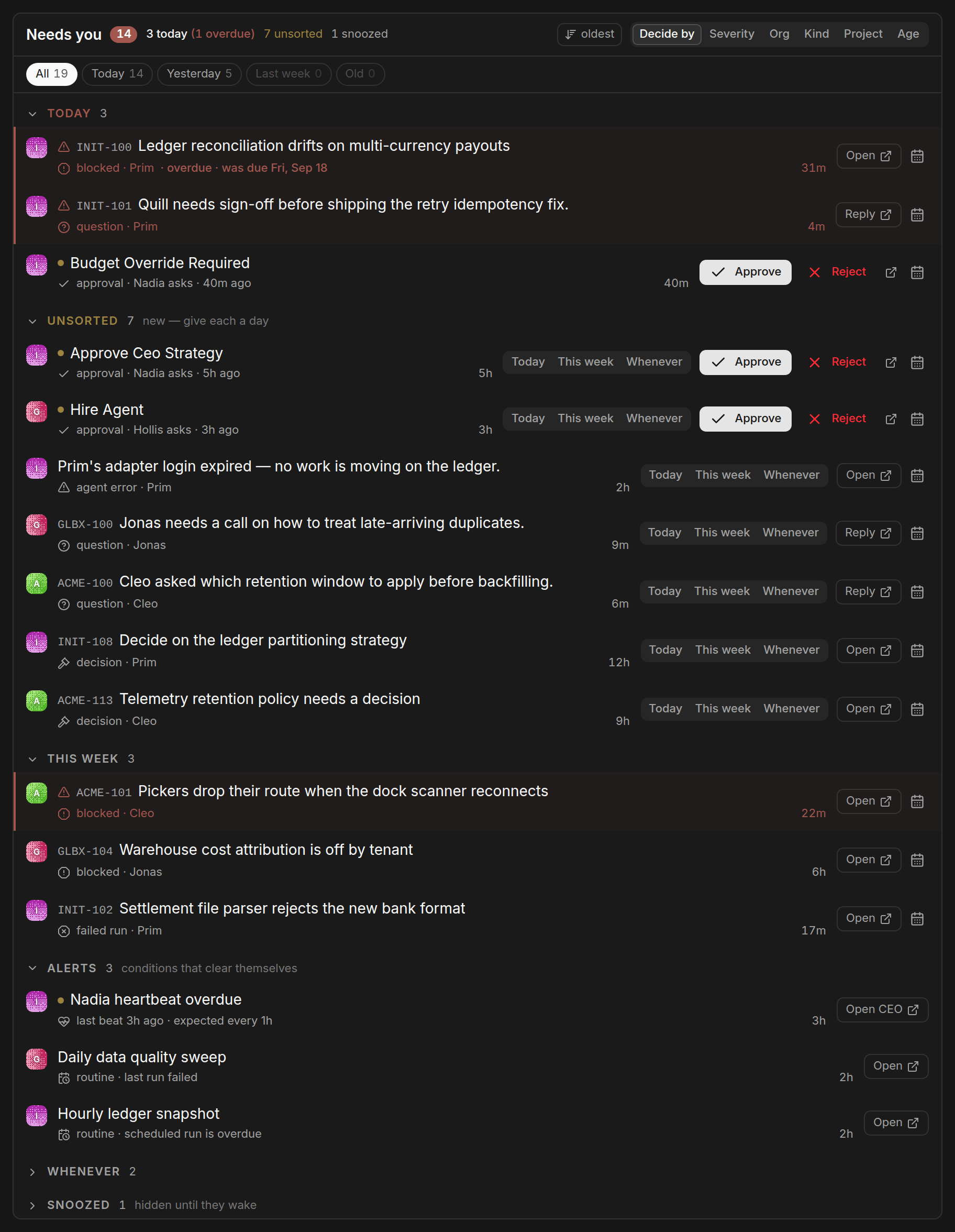
Decide by. Mark each item Today, This week or Whenever, and the queue sorts itself into those buckets. It writes through Paperclip’s own decision triage, so the dates show up inside Paperclip too — this isn’t a private layer of sticky notes.
Trouble surfaces itself. Blocked projects, stalled runs, failed routines and overdue heartbeats rise to the top on their own. Hovering an agent or a task shows its live narration, so “what is this thing actually doing” is a mouse move rather than four clicks.
Demo mode. ?demo=1 swaps in invented orgs, which is how every screenshot on this page was taken.
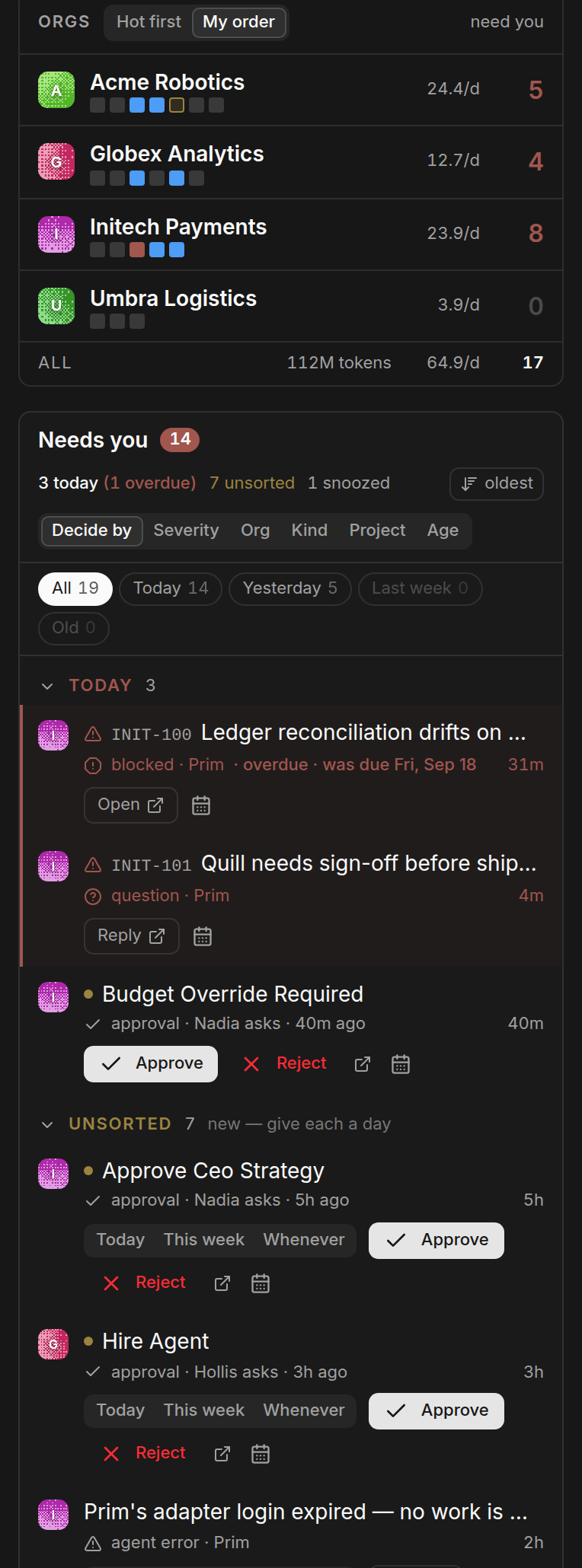
It works on a phone, which matters more than it sounds: the moment you most need to know what’s waiting is usually the moment you’re not at the desk.
The name
A tickler file is the office system that predates all of this — an accordion of dated folders whose only job is to bring a thing back in front of you on the day it needs you. That is exactly what the decide-by queue does, so that’s the name.
It used to be called Plica, Latin for “fold”. Nice idea. Nobody could guess what it meant. Version 0.7.0, shipped 27 September 2026, renamed everything: the npm package, the plugin id, the route, the CSS classes, the repo. If you were running Plica, you have to uninstall it and install Tickler — Paperclip identifies plugins by id, so a new id is a new plugin — and re-enter your token thresholds. With an install base this small, a clean break beat a migration layer.
Why it exists
I keep circling a thing I call the multi-organization problem: when your attention is split across several organizations, every crossing between them costs something, and almost no tool absorbs that cost for you. Every tool hands you a switcher — Slack’s workspace list, GitHub’s account menu, Chrome profiles — and a switcher assumes you already know where you’re going. Most of the time I don’t.
Paperclip was the first tool I’ve used where one person natively owns N organizations, which made it the first place I could build the thing a vendor will never build for you. The argument is in a root to stand on; the ten-year version is the multi-organization problem.