bubble-screen
A $15 ESP32 screen for your desk with one pixel-cloud character on it, showing what your Paperclip agent is doing right now, at a locked 30 fps.
esptool.py --chip esp32 write_flash 0x0 bubble-screen-v1.0.0.bin   # boots into the demo
cd service && docker compose -f deploy/compose.yml up -d --build   # live mode; fill in .env first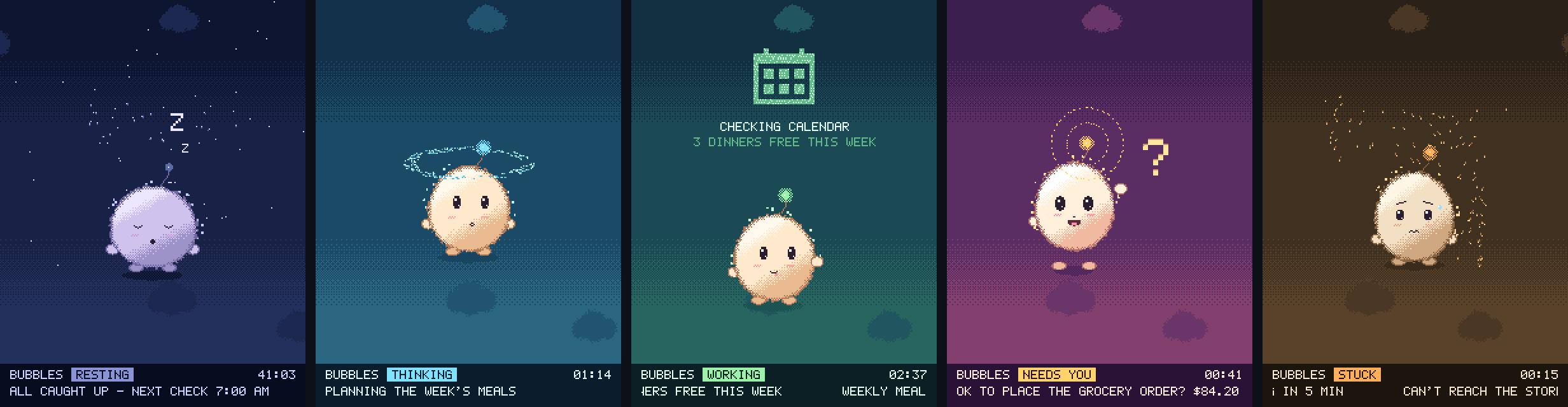

- status
- live GPL-3.0; demo mode runs with nothing configured
- version
- 1.0.0
- stack
- ESP32 / Arduino / PlatformIO / C++ / ILI9341 over DMA SPI / Python / FastAPI
- source
- github.com/nickallevato/bubble-screen ↗
- links
- release 1.0.0 ↗ · the ESP32 lessons ↗ · Paperclip ↗
- since
What it is
I bought a $15 ESP32 “Cheap Yellow Display” about six months ago and ran a cluttered LVGL dashboard on it, crawling along at about 12 frames per second. After three months I stopped using it. I wanted something I could read from across the room instead: one character, showing what the household agent is doing right now.
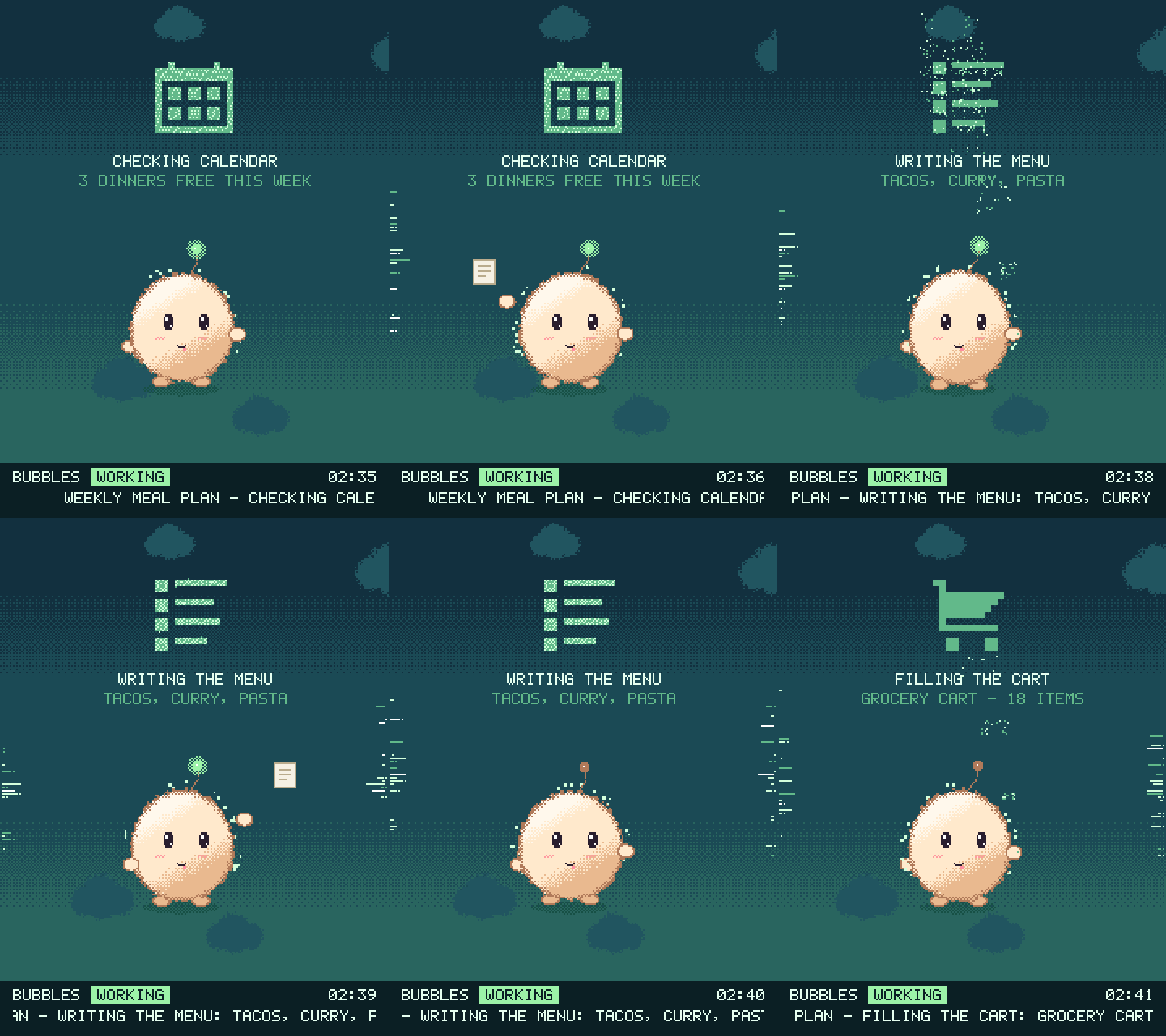
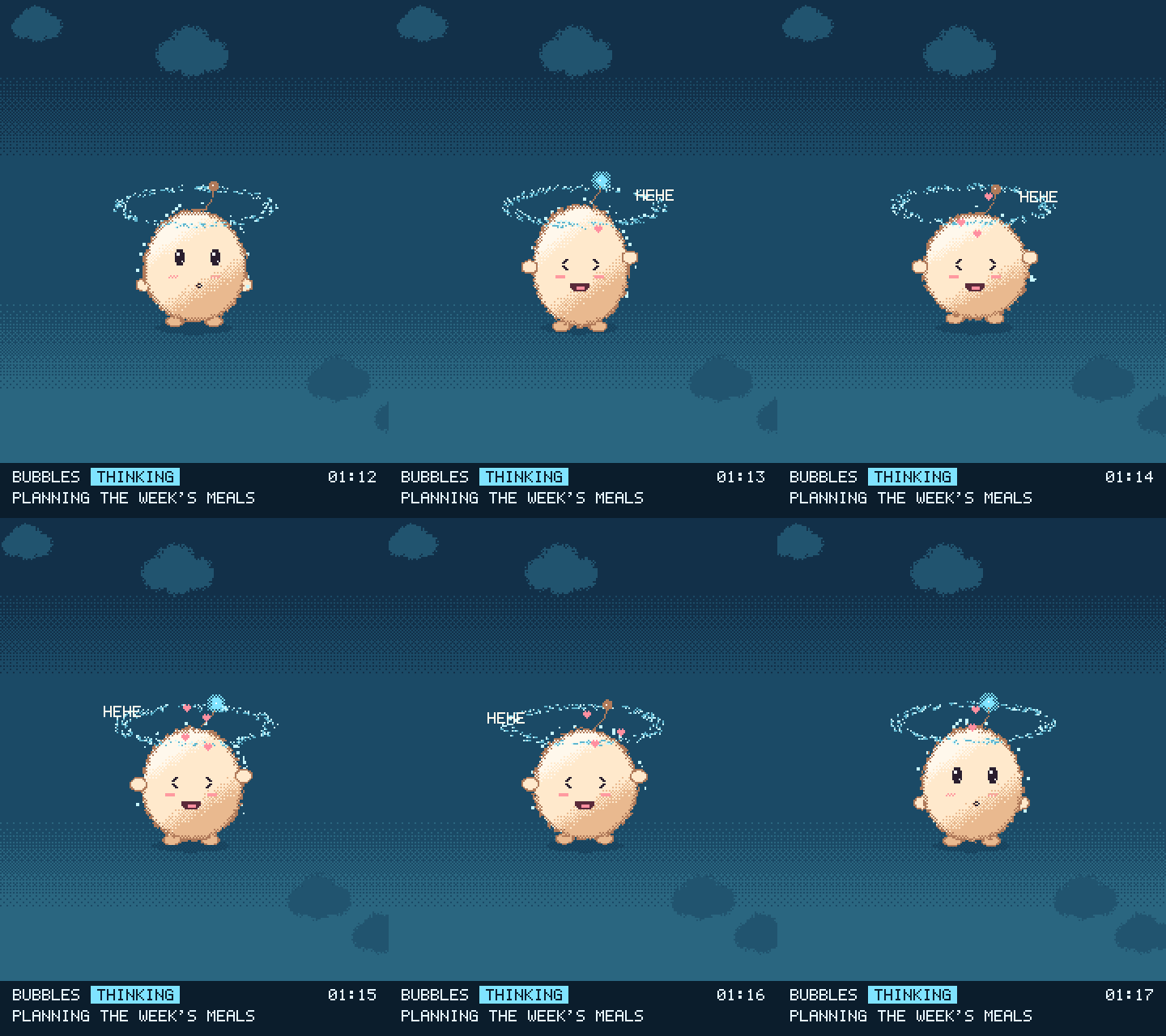
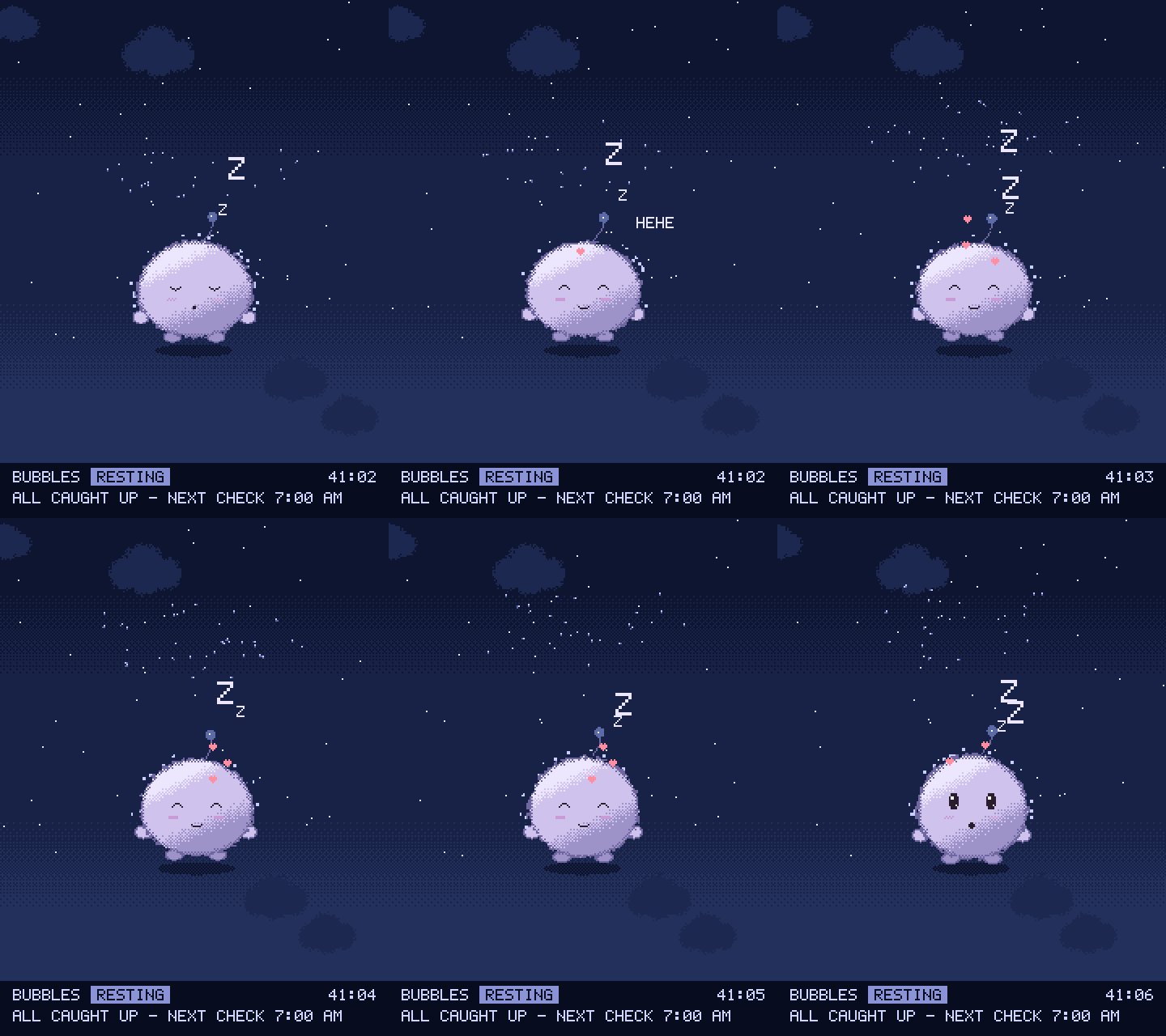
Now it’s a bean-shaped pixel-cloud with big eyes, rosy cheeks and an antenna. It has five moods, picked in priority order. Needs you hops and waves when the agent has asked a question. Stuck goes amber with a sweat drop when the last run failed. Working builds a little picture of the chore out of motes (a calendar, a list, a cart, an envelope), with the task underneath. Thinking gets a halo. Resting dozes under the stars and counts what’s waiting on you.
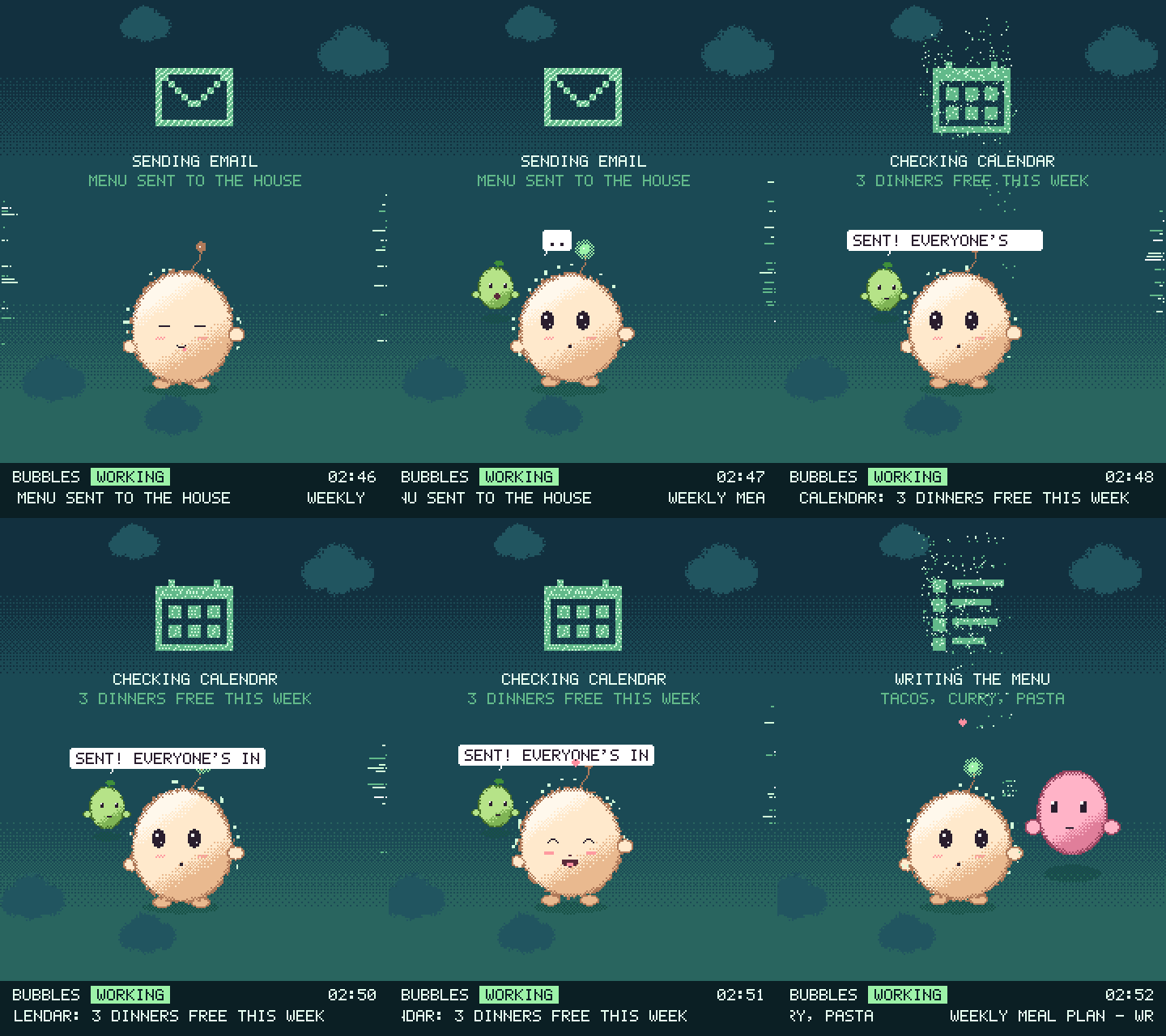
Other agents in the company show up as helpers. The character tosses them a work order off the edge of the screen, and that edge fizzes while they work out of sight. When they finish, they pop back in and whisper the result in its ear. Helpers are sized by the model behind them, so an Opus helper is twice the size of a Sonnet one. Rub it to tickle it; hold still to pet it.
How it got its face
A pixel-art cloud with a face was too literal. A swarm of 1,500 glowing particles that formed words and a giant eye was too scary, and I’m the one who said so. The keeper is a blend of the two: the friendly cloud, made of the motes.
Why it’s 30 fps
It’s a pixel slinger. No UI library. A hand-written ILI9341 driver streams 16-row strips over DMA SPI at 80 MHz, while plain C draws into an 8-bit, 99-colour framebuffer. Drawing takes about 13 ms and sending about 16, so the frame rate is locked at 30. A steady 30 reads as smooth; a rate that wanders reads as jitter. Wi-Fi and HTTP live on the other core, so the network can’t drop a frame. The first frame is up in under half a second, before Wi-Fi has even started.
A small service next to Paperclip turns the live event feed into a long-poll, so a new run, a finished helper or a question for you reaches the desk in about a second. It’s read-only by construction: the client refuses anything but GET before a request leaves the process, and the screen holds only a password for one endpoint.
What the ESP32 fought back with
- Memory. Wi-Fi plus two 75 KB framebuffers don’t fit; once Wi-Fi is up, the largest free block is about 34 KB. So there’s one framebuffer, allocated in strips, after Wi-Fi.
- Trig. newlib’s
sinfdrops onto a slow path past about 201 radians. Animation angles get there a couple of minutes after boot, and the frame went from 13 ms to 21. Angles are range-reduced first now. - Time.
micros()wraps every 71.6 minutes. The clock is the 64-bit timer, rebased every few hours along with every stored timestamp.
Each one is written up in the repo.
The GIFs here aren’t mockups. They come from the firmware’s own drawing code, compiled to run on a PC with the hardware stubbed out, and that renderer caught a real bug before launch: you could tickle it, but you could never pet it.
What you need
An ESP32-2432S028R (the 2.8-inch Cheap Yellow Display), stood upright, and a USB cable that carries data, which plenty don’t. With nothing configured it runs a demo starring BUBBLES, so it works plugged in anywhere. For live mode you need a Paperclip instance and a box on the LAN with Docker or Python 3.12 for the service. Then six serial commands tell the board your Wi-Fi and where the service is.